DIORA
Heated Therapy Knee Brace with USB Charging | Electric massager heating pad
Heated Therapy Knee Brace with USB Charging | Electric massager heating pad
Regular price
Rs.3,499.00 PKR
Regular price
Rs.5,600.00 PKR
Sale price
Rs.3,499.00 PKR
Unit price
per
Shipping calculated at checkout.
 People Watching This Product Now..!!
Couldn't load pickup availability
First Day
Ordered
Sec Day
Order Ready
Third Day
Delivered
- Easy Return & Refund Policy
- Cash On Delivery
- Fast Shipping
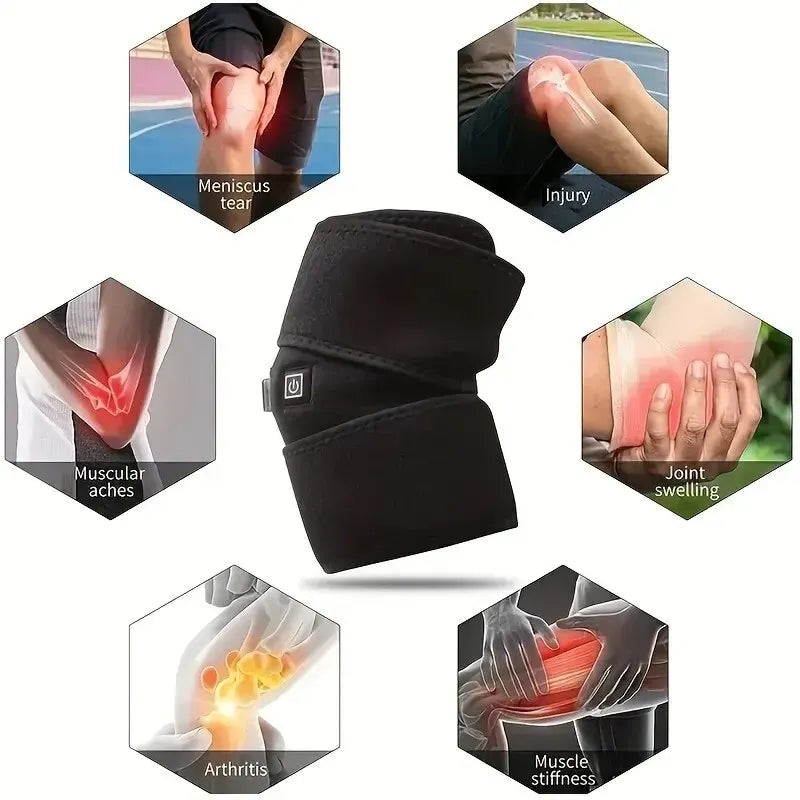
This heated therapy knee brace provides targeted pain relief and muscle relaxation with its built-in heating function. It features three adjustable temperature settings for customized comfort and includes a USB charging cable for convenient power access. The brace also comes with a mesh bag for optional cold therapy, making it ideal for both heat and ice treatment. Designed with a strong hook-and-loop strap for a secure fit, it is perfect for relieving knee pain, arthritis, injuries, and muscle stiffness. Suitable for daily use at home, work, or during recovery.
How to Use the Heated Therapy Knee Brace
1. Prepare the Brace
- Ensure the brace is clean and fully functional before use.
- If using cold therapy, place an ice pack inside the built-in mesh bag.
2. Power On the Heating Function
- Plug the USB charging cable into a power source (power bank, adapter, or laptop).
- Press and hold the power button for a few seconds to turn it on.
3. Adjust the Temperature Setting
- The brace has three heating levels:
- Red (High) – Maximum heat for deep relief.
- White (Medium) – Moderate warmth for comfort.
- Blue (Low) – Gentle heat for long-duration use.
- Press the power button to cycle through the levels.
4. Secure the Brace on Your Knee
- Wrap the brace around your knee and fasten it using the strong hook-and-loop straps.
- Make sure it fits snugly but not too tight.
5. Use for Recommended Duration
- Heat Therapy: Use for 15–30 minutes to relieve pain and improve blood circulation.
- Cold Therapy: If using an ice pack, apply for 10–15 minutes to reduce swelling and inflammation.
6. Turn Off and Store Properly
- Press and hold the power button to turn off the heating function.
- Unplug the USB cable and store the brace in a cool, dry place.